


Migrating From a Legacy ATS: Common Mistakes and How to Avoid Them
by Monika Ranjan - 6 minutes read
Migrating From a Legacy ATS: Common Mistakes and How to Avoid Them
Your hiring system should support your recruiters, not slow them down or block progress.
Yet many hiring teams spend more time fixing system issues than focusing on candidates and interviews.
This problem is common with older ATS tools. Over time, they become hard to manage, slow to use, and full of workarounds that drain team energy. Recruiters re-enter resume details because parsing fails, while hiring managers struggle to locate candidate notes or past feedback when decisions need to be made quickly.
These challenges do not come from poor hiring teams. They come from systems built for hiring needs that no longer match today’s reality.
In the past, hiring volume was lower, job boards were simpler, and skill-based hiring was not the norm. Mobile access and speed were not priorities.
Hiring today looks very different, which is why many teams choose to move from legacy ATS tools to Evaleo.
Migration can bring major improvements in speed, fairness, and clarity, but only when it is planned with care. A rushed or poorly managed migration can disrupt hiring, confuse users, and damage candidate data.
This blog explains why teams move away from legacy ATS tools, the most common migration mistakes, and how to avoid them when moving to Evaleo.
Why Hiring Teams Are Moving Away From Legacy ATS Tools
Most teams do not change hiring systems without strong reasons. The decision usually comes after months or years of growing friction.
Daily Hiring Work Becomes Harder
Recruiters often deal with resume parsing failures that force them to manually enter candidate data. Tasks like moving candidates between stages or sharing feedback take longer than they should, which slows the entire hiring process.
Hiring managers feel the impact as well, since finding resumes, notes, or interview feedback often requires extra steps and patience.
Over time, these small delays reduce hiring speed and increase frustration.
Data Exists but Is Hard to Use
Legacy ATS tools often store data across many sections that do not connect well. Candidate profiles, interview notes, and reports live in different places, making it hard to see the full picture during hiring decisions.
When data is scattered, teams lose clarity and confidence in their choices.
Skill-Based Hiring Becomes Difficult
Modern hiring focuses on skills and job readiness, not just job titles or degrees. Older systems make this harder because they rely heavily on resume keywords and rigid filters.
Strong candidates may be missed simply because their resume wording does not match expected terms.
Compliance Becomes a Growing Risk
Privacy rules continue to change, and older ATS tools were not built with clear audit trails or easy data controls. Teams rely on manual steps to manage access and records, which increases risk and effort.
Why ATS Migration Often Goes Wrong
Many migrations fail not because of the new system, but because teams underestimate the effort involved. They assume data will move cleanly, users will adapt quickly, and workflows will stay stable during the switch.
These assumptions often lead to avoidable problems.
Below are the most common mistakes teams make when migrating from a legacy ATS to Evaleo.
1. Data Migration Errors
Legacy ATS tools store data in formats that do not always align with modern platforms. Field mismatches, custom entries, and inconsistent formats can cause missing or damaged records after migration.
Teams often discover these issues only after going live.
How to avoid this:
Audit all data before migration, test field mapping using sample records, clean formats early, and confirm that all required custom fields are supported in Evaleo.
2. Loss of Compliance and Audit Records
Compliance data such as access logs and audit history is often stored deep inside older systems. These records may not transfer cleanly, creating gaps that expose teams to legal risk.
How to avoid this:
Identify all compliance records in advance, separate outdated data, verify privacy and access settings in Evaleo, and test compliance reports before full rollout.
3. Damage to Candidate Profiles
Resume parsing issues from legacy systems can increase during migration, especially when proprietary formats are involved. Candidate status history, notes, and communication records may become incomplete or lost.
How to avoid this:
Test resume parsing with many resume types, verify candidate stage mapping carefully, preserve all communication history, and review sample profiles after migration.
4. Rebuilding Old and Broken Workflows
Many teams copy existing workflows directly into Evaleo without reviewing them. These workflows often exist only because of limitations in the old system.
Copying them forward prevents teams from improving their hiring process.
How to avoid this:
Document current workflows, identify pain points, redesign steps where needed, and use Evaleo’s built-in workflow and skill evaluation features instead of manual workarounds.
5. Low User Adoption
A migration can succeed on paper and still fail in practice if users avoid the system. Recruiters may stick to old habits, while managers ignore features they do not understand.
How to avoid this:
Involve recruiters and hiring managers early, provide role-based training, and offer ongoing support during and after the rollout.
6. Hiring Downtime During Migration
Migration timelines are often underestimated, which can pause hiring activity longer than expected. This affects candidate experience and internal planning.
How to avoid this:
Maintain access to the legacy ATS during rollout, run both systems in parallel for a period, migrate during slower hiring cycles, and plan buffer time for delays.
7. Lack of Stakeholder Alignment
Migration affects recruiters, managers, HR teams, and leadership. When these groups are not aligned, resistance grows and adoption slows.
How to avoid this:
Secure leadership support early, communicate goals clearly, explain benefits by role, and assign internal champions to guide teams through the change.
8. Reporting and Hiring Metrics Issues
Reports may show incorrect numbers after migration due to mapping gaps or missing data. Teams often notice this only during reviews, when fixes are harder.
How to avoid this:
Validate reports early, compare legacy and Evaleo metrics, test reports with real users, and resolve gaps before full launch.
9. Skill Visibility and Job Discovery Gaps
A new hiring system affects how jobs and skills are presented to candidates. Poor setup can reduce job reach and clarity.
How to avoid this:
Use clear job structures, define skill requirements carefully, maintain helpful FAQ sections, and track job and application performance after migration.
Best Practices for a Smooth Migration to Evaleo
Avoiding mistakes is important, but strong planning creates lasting success.
Create a Clear Migration Plan
A solid plan outlines data sources, timelines, testing stages, and backup steps. It also documents compliance needs, skill frameworks, custom fields, and reporting rules, with checkpoints at every stage.
Test Before the Final Switch
Never migrate everything at once. Run trial migrations using real data to test resume parsing, skill mapping, user roles, workflows, and data accuracy before the full rollout.
Put Skill-Based Hiring at the Center
Evaleo is built for skill-first hiring, so migration is a chance to improve how candidates are evaluated. Define skills clearly, align them with roles, and ensure resume data supports fair skill comparison.
Involve Users Early
Recruiters and managers shape success. Ask them what slows them down today, train them by role, and gather feedback early to improve adoption and trust.
Use Evaleo Features Fully
Do not recreate old problems in a new system. Use Evaleo’s built-in skill mapping, assessments, summaries, and reports, and set baseline metrics to track improvement over time.
Why Teams Prefer Evaleo Over Legacy ATS Tools
Legacy systems often create friction that slows hiring and frustrates teams. Evaleo removes many of these barriers by focusing on skills, clear data structure, and fair evaluation.
Teams that move to Evaleo often see faster shortlisting, better skill visibility, reduced manual work, and clearer hiring decisions, allowing recruiters to focus on people rather than system issues.
Key Takeaways
ATS migration is not just a system change. It reshapes how hiring works.
Success depends on clean data, clear workflows, skill focus, and user trust. When migration to Evaleo is done well, hiring becomes faster, fairer, and easier to manage at scale.
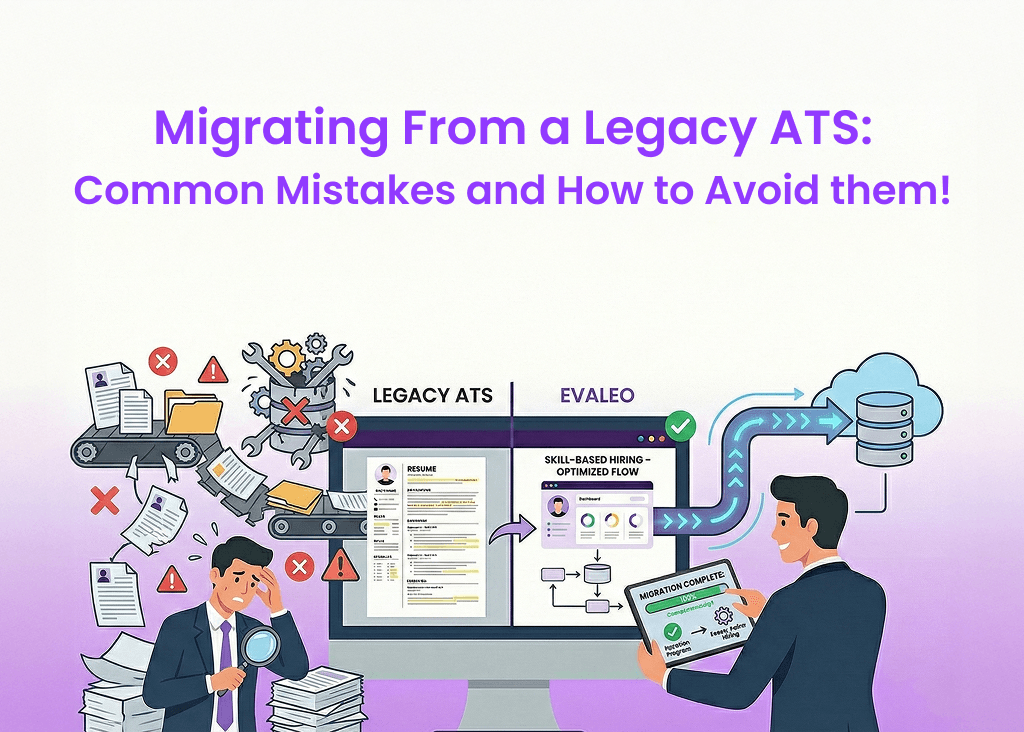
 Table of Content